 sensor labs
Company
Complete company and insurance reviews
Where to record ownership, sensitive categories, policy files and commercial preferences.
Screenshots use sample company data. Captured November 12, 2026.
Profile, ownership and sensitive data
Company has five tabs: Profile, Ownership, Sensitive data, Insurance and Preferences. Profile contains the onboarding basics plus optional workforce, history and location details.
Ownership and Sensitive data record what is company-owned, what may be restricted and which categories need review. Use category or system names rather than pasting private source records. Save changes before closing; moving between portal sections also attempts to save your draft.
Open CompanyRecord what the policy actually says
In Insurance, answer whether a cyber policy exists. Selecting Yes reveals fields for recipient-breach coverage, the applicable maximum payout per claim, annual aggregate, deductible, defense costs, covered claims, exclusions and renewal date.
Use written policy wording or the insurer’s response to fill these fields. Not sure and waiting-for-confirmation answers are available. A saved questionnaire is a record of your answer, not confirmation from an insurer.
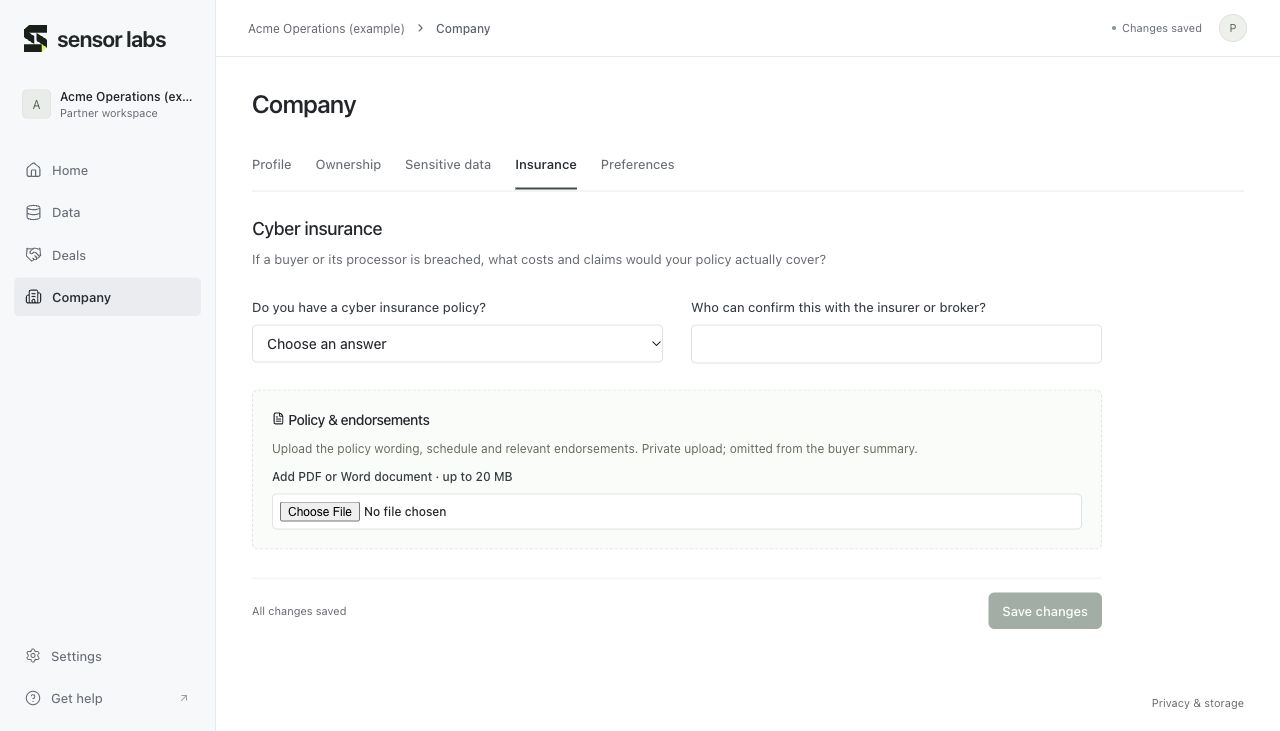
Upload the policy and endorsements
Use Upload insurance policy for the wording, schedule and relevant endorsements. The private upload accepts PDF or Word documents up to 20 MB each. Policy files are omitted from the company summary. File permissions are separate from metadata permissions for API and MCP access.
Make commercial preferences explicit
Preferences records goals, timing, payment structure, exclusivity preferences, redlines and buyer-registration permissions. Recording a preference does not register you with a buyer or sign an agreement. Deals → Checklist tracks later milestones separately.
Open Preferences