 sensor labs
Data
Collect counts with an assistant or manually
Choose the right guide, copy a task, or follow the screenshots yourself.
Screenshots use sample company data. Captured November 12, 2026.
Choose a source and a method
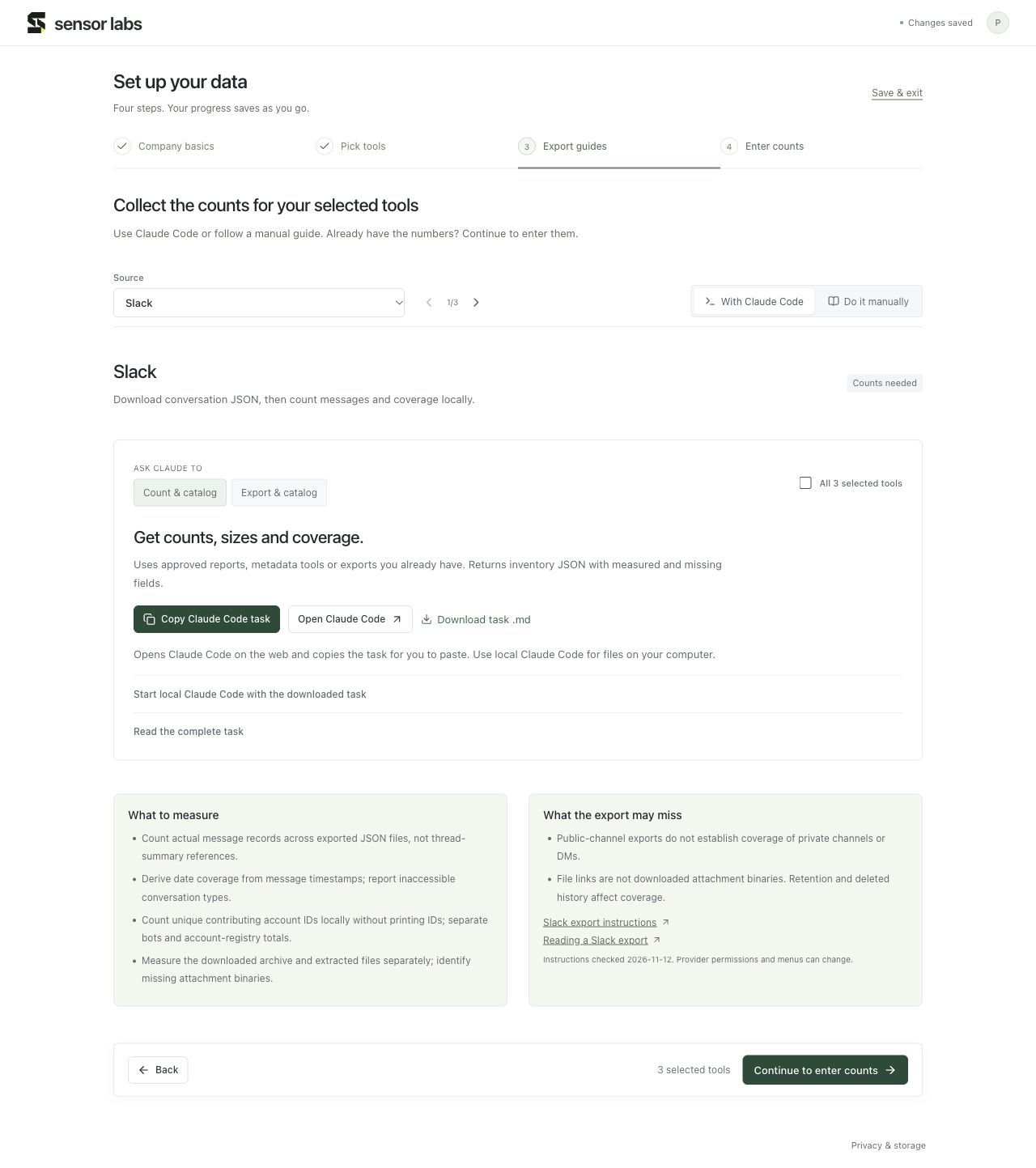
Open Data → Export guides, or step 3 of Guided setup. The guide list follows your saved tools. Change the source using the selector or the previous/next arrows.
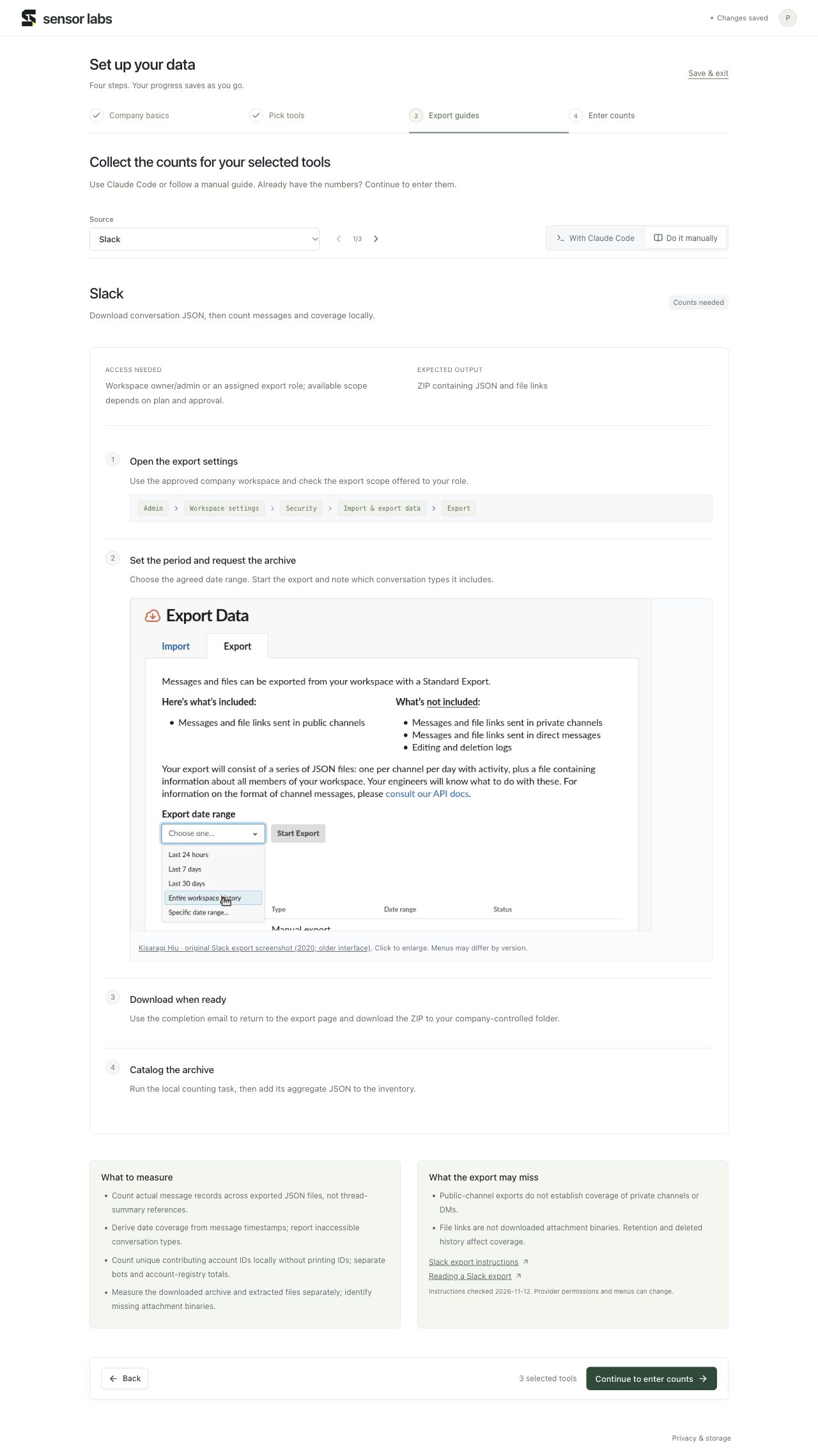
With Claude Code is for an assistant; Do it manually shows the provider steps and screenshots. Both routes lead to the same aggregate inventory.
Run a Claude Code task
Choose Count & catalog for reports, metadata or exports you already hold. Choose Export & catalog when you also want help downloading approved exports. All selected tools can be included in one task.
Copy Claude Code task puts the instructions on your clipboard. Open Claude Code also opens the web app; you still paste the task yourself. Download task .md is available if clipboard access fails. For local archives, run the task in local Claude Code with access to the relevant folder.
The task checks available tools and permissions. It can report a missing connection or unavailable export instead of claiming it connected a system.
Follow the manual guide
Check Access needed and Expected output first. Follow the navigation path, request the agreed period, download to your own company storage, and measure the report or archive. Read the coverage limits: a public-channel export, for example, does not establish private-channel coverage.
For a tool that is not listed
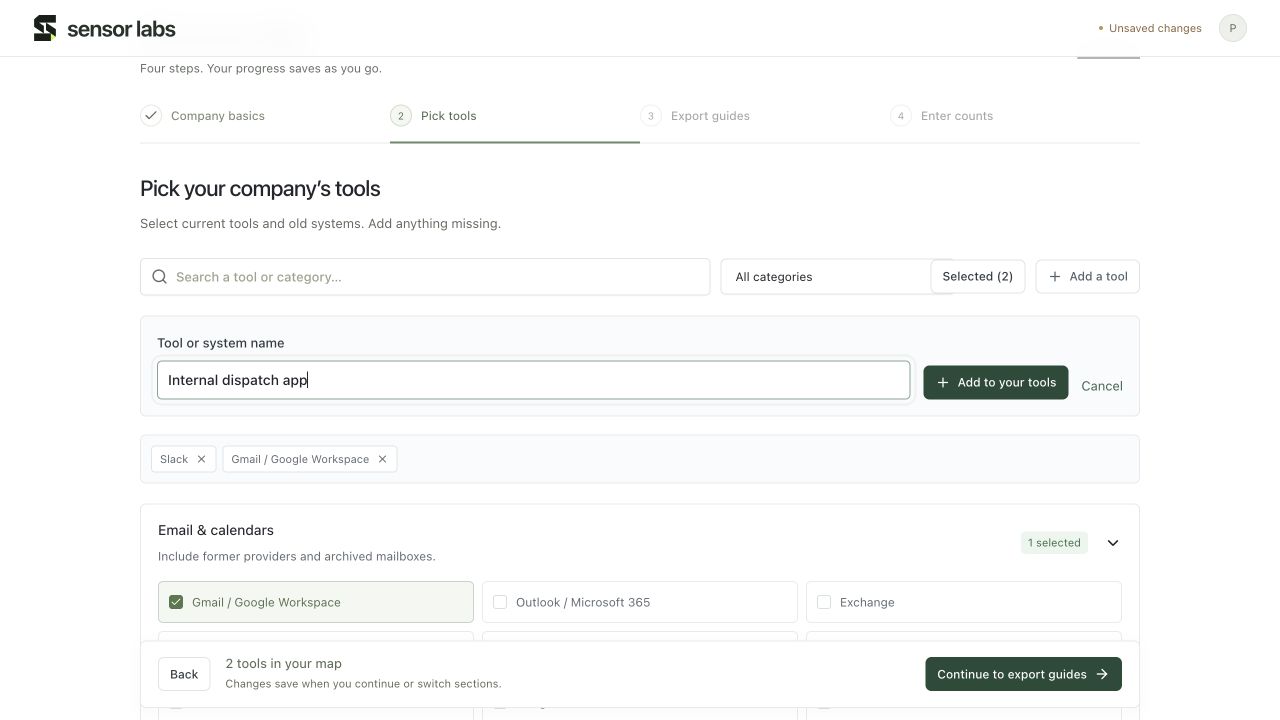
In tool selection, choose Add a tool and enter its name. A custom source receives a general guide. Its agent task asks for the vendor’s official instructions first rather than assuming a particular menu or API.
Bring back aggregate results
Use Import JSON results in count entry, or Data → Sources → Data actions → Import inventory JSON. Review the preview before saving. You can also enter the numbers manually.
Import aggregate inventory only. Raw messages, emails, code, customer records and credentials stay out of this form. An import is additive: a populated source row is not silently overwritten, so review duplicate exports before using totals.
Learn about count entry