 sensor labs
Start here
Connect Claude and fill in your counts
Connect your Sensor Labs workspace, start a guided catalog and review saved results.
Screenshots use sample company data. Captured November 12, 2026.
1. Connect Claude
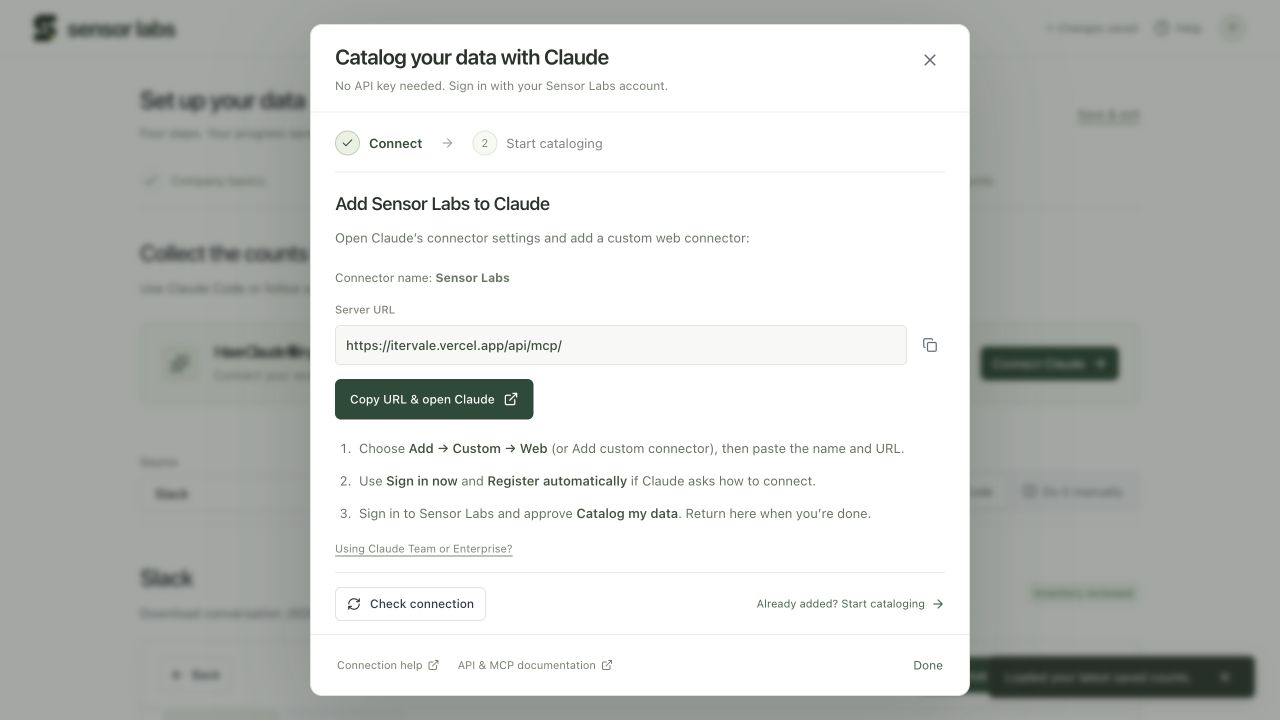
Open Data → Export guides or Settings → API & MCP and choose Connect Claude. During onboarding, the same button is in step 3, Export guides.
Copy URL & open Claude opens Claude’s connector page and copies the public Sensor Labs MCP URL. Add a custom web connector named Sensor Labs, paste the URL, and choose Sign in now. Use Register automatically if Claude asks which OAuth client to use.
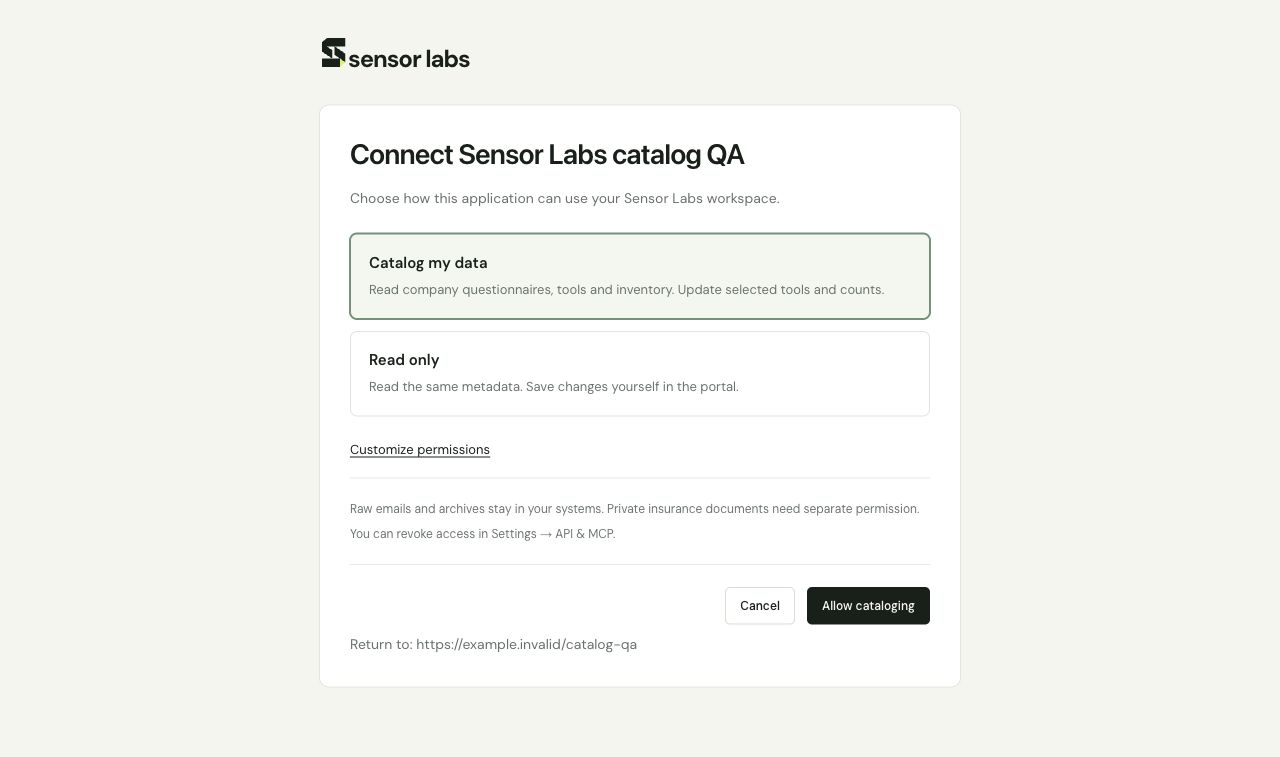
Sign in to Sensor Labs and choose Catalog my data on the permission screen, then approve. A Claude Team or Enterprise organization may require an owner to add the connector first. You can read these instructions before signing in.
What the catalog connection can do
The catalog preset reads company questionnaires, tools and inventory. It can update selected tools and aggregate inventory counts. It does not grant questionnaire writes, deals, referral records, private insurance files, credential management or legal checklist changes. Read only and custom permissions are also available.
The setup dialog shows access approval separately from actual catalog tool use and saved inventory activity. Check connection refreshes the server’s records; clicking a setup button alone does not mark a connection verified.
2. Start cataloging
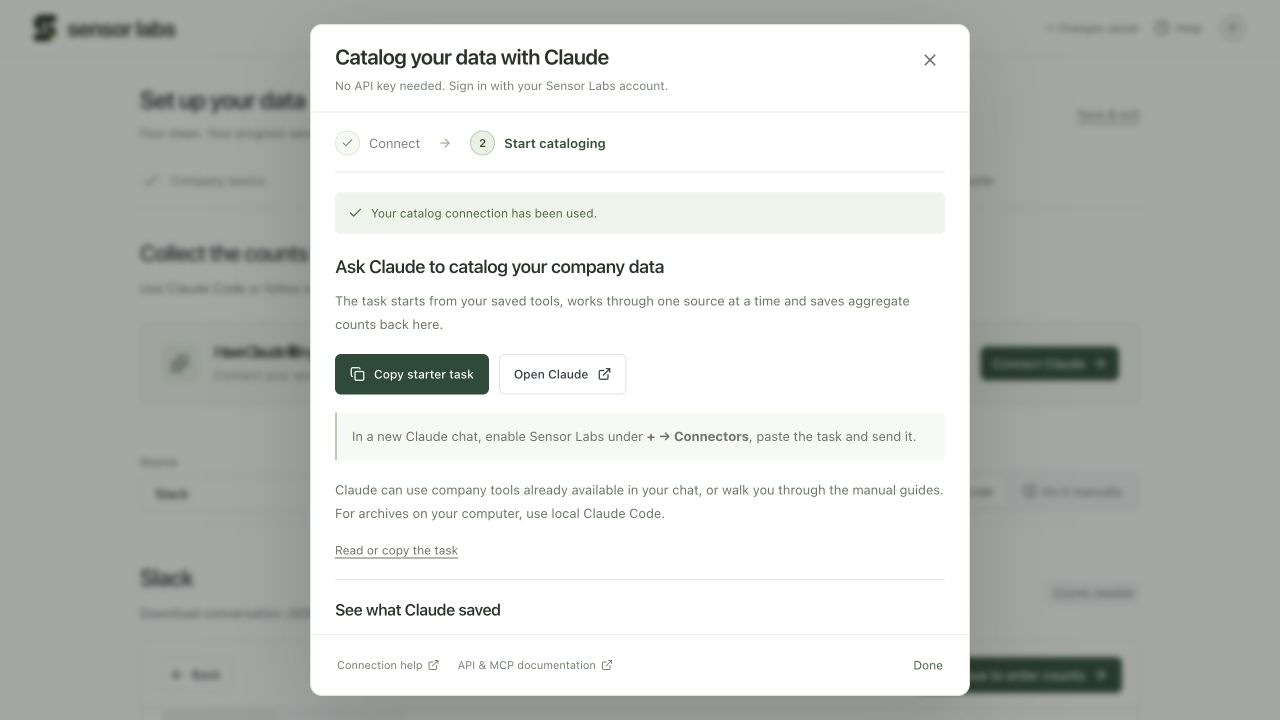
Return to the portal and choose Copy starter task. Open Claude, create a chat, enable Sensor Labs under + → Connectors, then paste and send the task.
Claude starts with the company details and tools already saved. It handles one source at a time, asks for the next missing fact, uses approved reports or available company connectors, and saves aggregate counts through MCP. It checks the saved results before moving on.
Sensor Labs gives Claude access to the inventory, not automatic access to Slack, Gmail or your computer. Claude can walk you through the manual guide when a source connection or administrator export is unavailable. For files on your computer, use local Claude Code with the same task.
3. Review saved counts
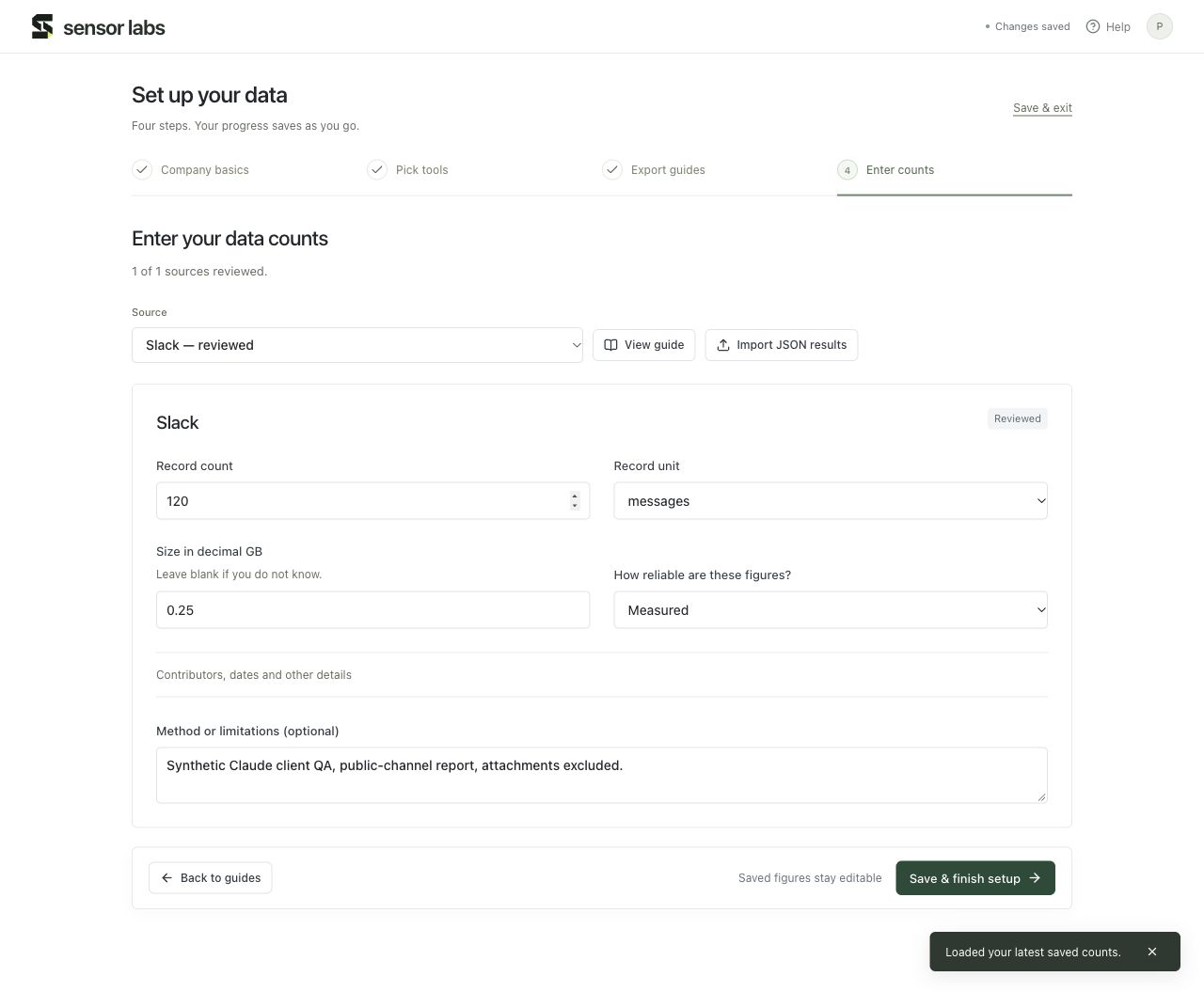
After Claude confirms a successful save, return to the setup dialog and choose Review saved counts. The portal saves any local draft first, reads the latest workspace and opens count entry. You do not need to paste JSON or refresh the browser.
Measured, partial, estimated and unavailable figures keep their own labels. Unknown values stay blank and zero stays zero. Rights, insurance and commercial milestones remain separate from catalog completion.
If the connection is not working
If Claude cannot see Sensor Labs tools, enable the connector in the current chat. If it can read but not save, reconnect and choose Catalog my data, or adjust the selected permissions during consent. If you used a different Sensor Labs account, sign in to the account that owns the intended workspace.
If clipboard access is blocked, select and copy the visible URL or task text. You can download the task as a Markdown file. API keys and headless client instructions remain in API & MCP settings.
Read the full API & MCP reference