 sensor labs
Deals
Publish a corpus and evaluate buyer requests
Prepare a profile, request sample access and follow the deal record.
Screenshots use sample company data. Captured November 12, 2026.
Prepare a supplier profile
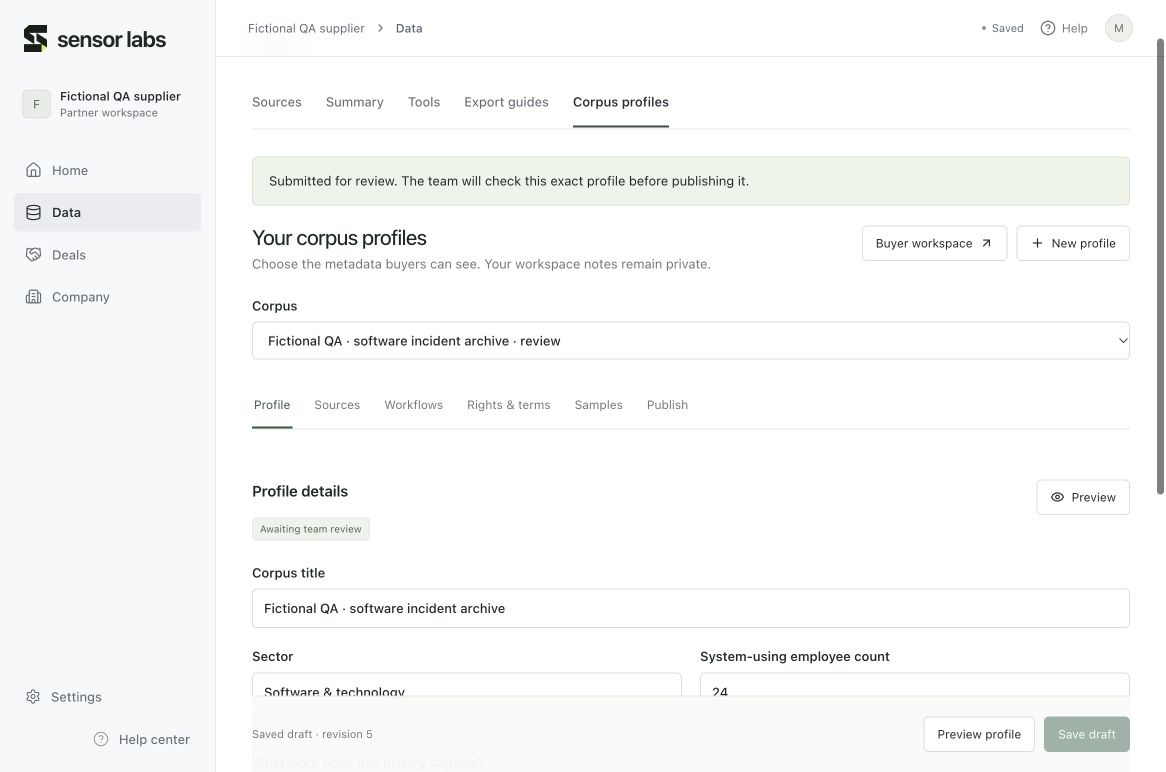
Open Data → Corpus profiles and create a profile from your saved inventory. The copied fields are a starting point, not a publication. Add the workflows, links between systems, recorded outcomes, formats, dates and coverage gaps that a buyer needs to evaluate the corpus.
Review each source’s rights, exclusions, permitted uses and prior licensing. Unknown counts stay unknown. Company questionnaires, insurance, internal notes and referral details are not copied into the buyer profile. Use Save draft before closing the tab.
Submit the exact profile for review
Preview the buyer profile, complete the owner attestation in Publish and submit it. Sensor Labs reviews that exact submitted revision. Only an approved version becomes visible to approved buyers.
Editing a published profile changes the private draft. Buyers continue to see the approved version until another exact revision is submitted and approved. Existing deal records retain their original listing version. Withdraw listing removes it from future catalogue searches and revokes sample grants.
Find and shortlist a corpus
Open the buyer workspace and complete Buyer profile. Sensor Labs reviews the organization and intended use, then records evidence of the signed NDA; the portal does not sign it for you. An unapproved profile cannot browse the private catalogue.
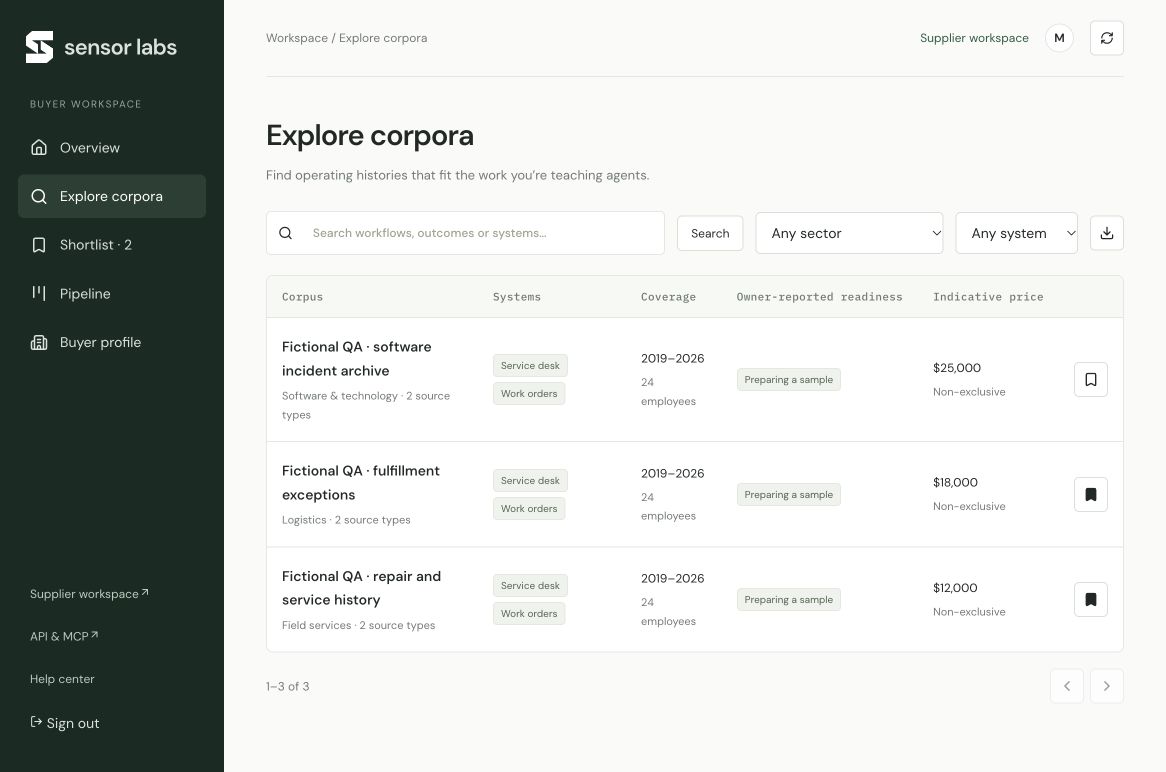
Explore corpora supports workflow and system search, sector/system filters and pagination. Open a profile to inspect its sources, coverage, outcomes, rights and indicative terms. Save profiles to Shortlist, then request evaluation for one or several profiles. Each request creates a shared conversation with the supplier and Sensor Labs. Indicative prices are not a purchase agreement.
Share a prepared sample
The supplier uploads a deliberately prepared sample in Samples, attests to its rights and scope, then submits it for review. Files are limited to 5 MB each; use CSV, JSON, plain text, PDF or supported audio. Do not upload a full archive or files you lack permission to share.
Sample review, buyer approval and a signed NDA are separate checks. The supplier or Sensor Labs must grant that buyer access to the exact reviewed files with an expiry. The buyer can then preview supported text/table files or open the short-lived download. Revocation prevents future access; an already issued download can remain valid for up to 60 seconds, and a downloaded copy cannot be recalled.
Keep the next action and economics clear
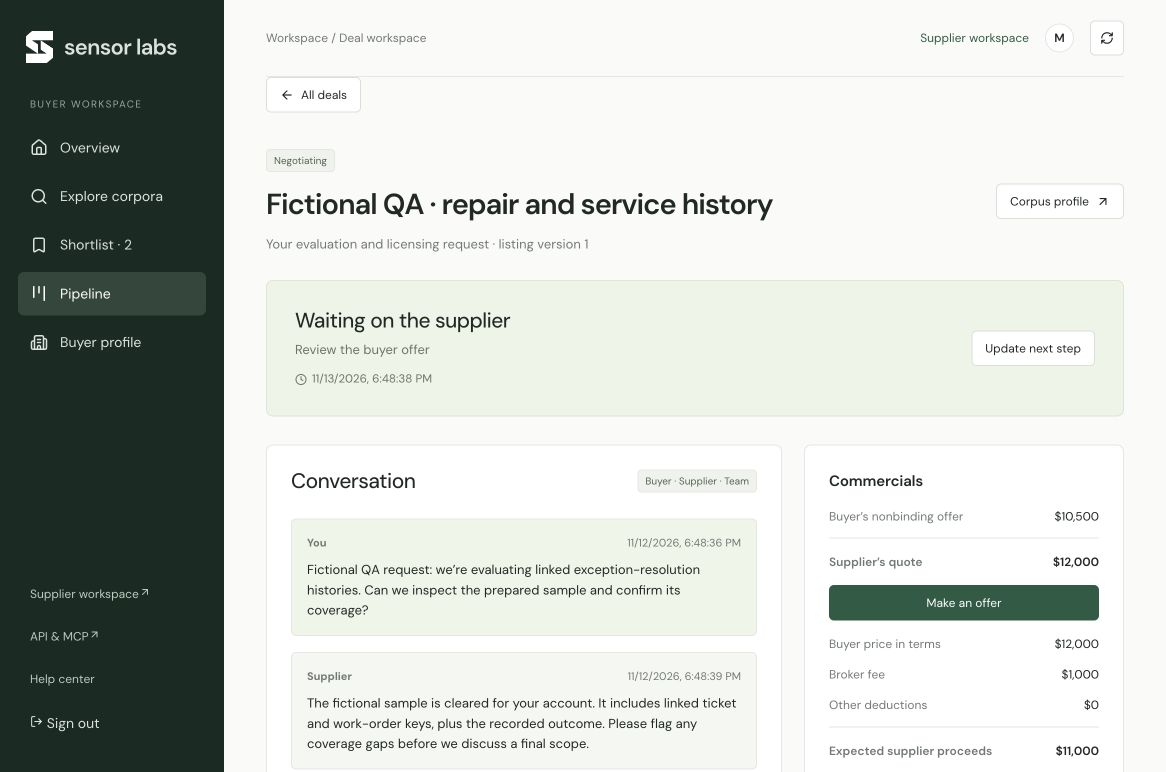
Supplier Deals → Buyer requests and the buyer Pipeline open the same deal record. Use its conversation for the evaluation, make a nonbinding proposal, and assign the next action, owner and due time. Buyer offers and supplier quotes remain separate.
The commercial record keeps the agreed buyer price, broker fee, other deductions and expected supplier proceeds distinct. Unknown amounts are blank; enter zero only when it actually applies. Each later milestone needs its supporting reference. The buyer records acceptance; the supplier or Sensor Labs records preparation, delivery and payment evidence.
Stages record what happened outside the portal. They do not sign an agreement, move the full archive, issue an invoice or send money. Do not mark payment complete merely because an offer was made.
Use the same records through API and MCP
The API reference lists marketplace search, drafts, buyer requests, messages, proposals and permitted samples. Approve only the scopes the client needs. Publication decisions, buyer review, sample review, file grants and final deal milestones stay in the signed-in portal. Existing connections do not automatically gain new marketplace permissions.
Read the API reference