 sensor labs
Data
Enter counts, size and coverage correctly
Measured versus estimated figures, unknown counts, units, contributors and multiple exports.
Screenshots use sample company data. Captured November 12, 2026.
The four main fields
Record count is the number of items in the stated scope. Pick the matching Record unit: messages, files, repositories, rows, hours or records.
Size uses decimal GB: 1 GB = 1,000,000,000 bytes. Divide a byte count by 1,000,000,000; for example, 250,000,000 bytes is 0.25 GB. State whether you measured an archive, extracted files, or another scope. Leave size blank if unknown.
Choose Measured, Partial, Estimate or Counts unavailable. A figure needs its basis; a number alone does not establish complete coverage.
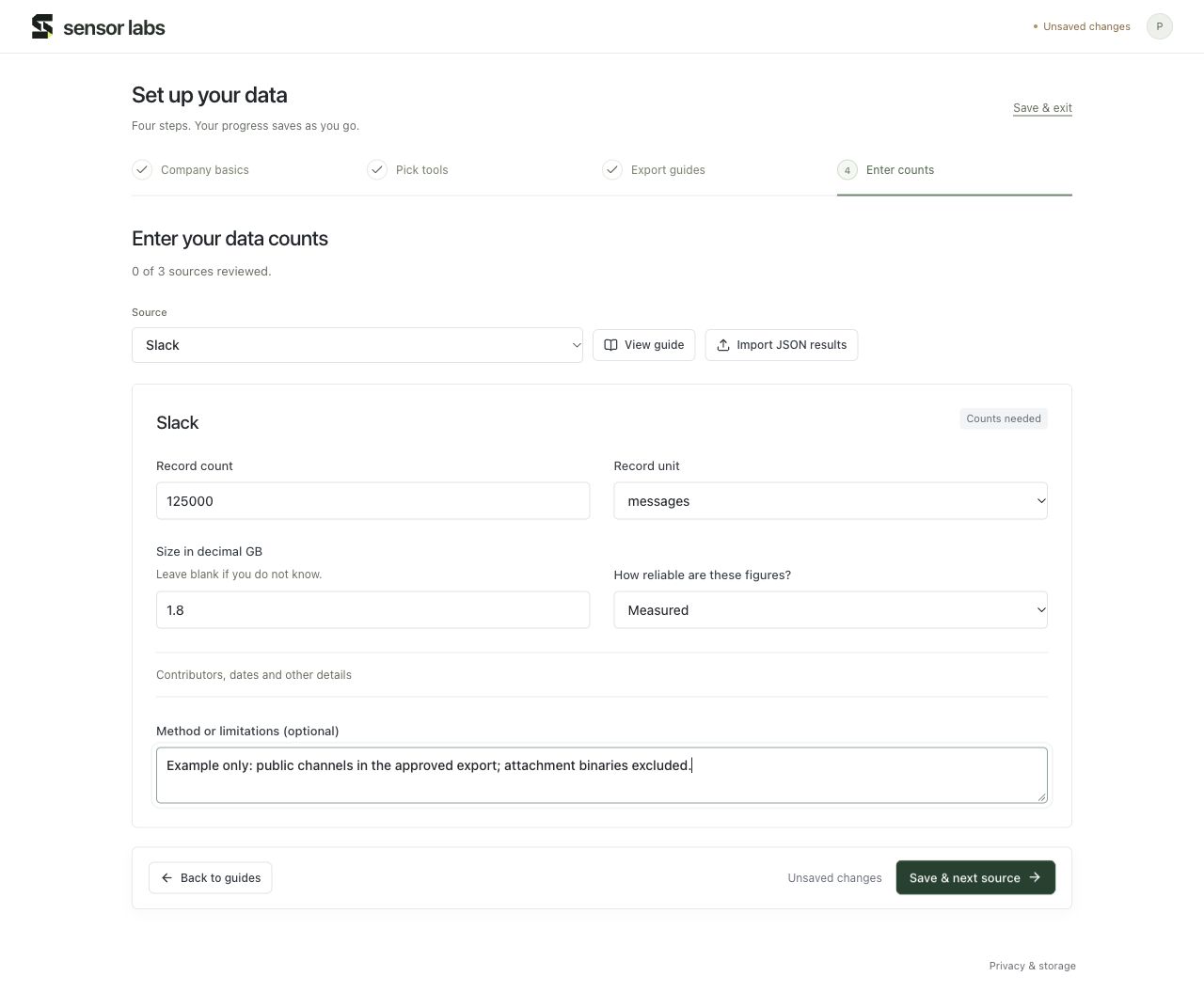
Contributors, dates and ownership
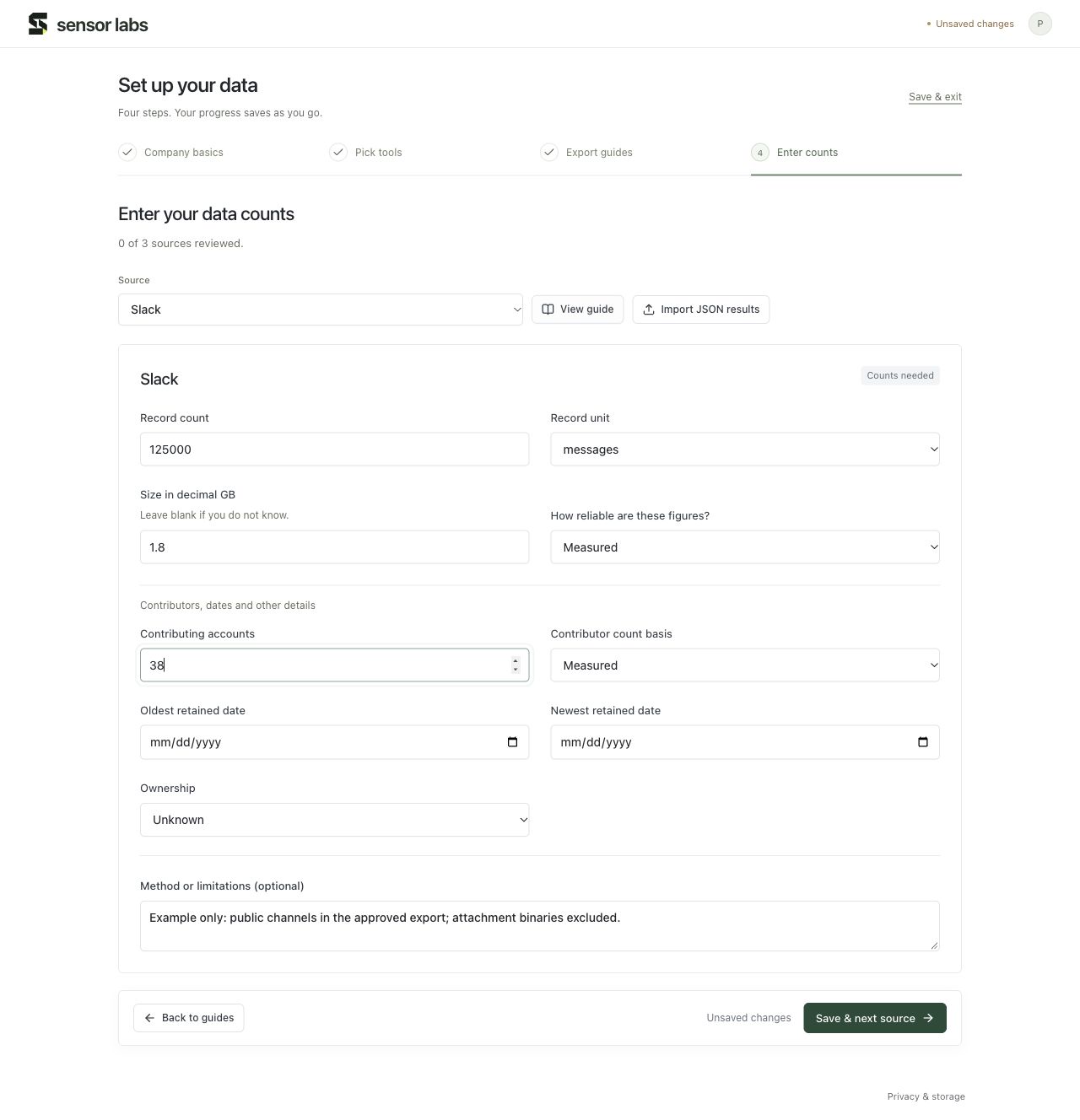
Expand Contributors, dates and other details to add contributing accounts and their basis, oldest and newest retained dates, and ownership.
A contributing account is not automatically an employee: bots, former staff, guests and duplicate accounts can be present. Keep the company workforce figures in Company → Profile. Record uncertainty or excluded material in Method or limitations.
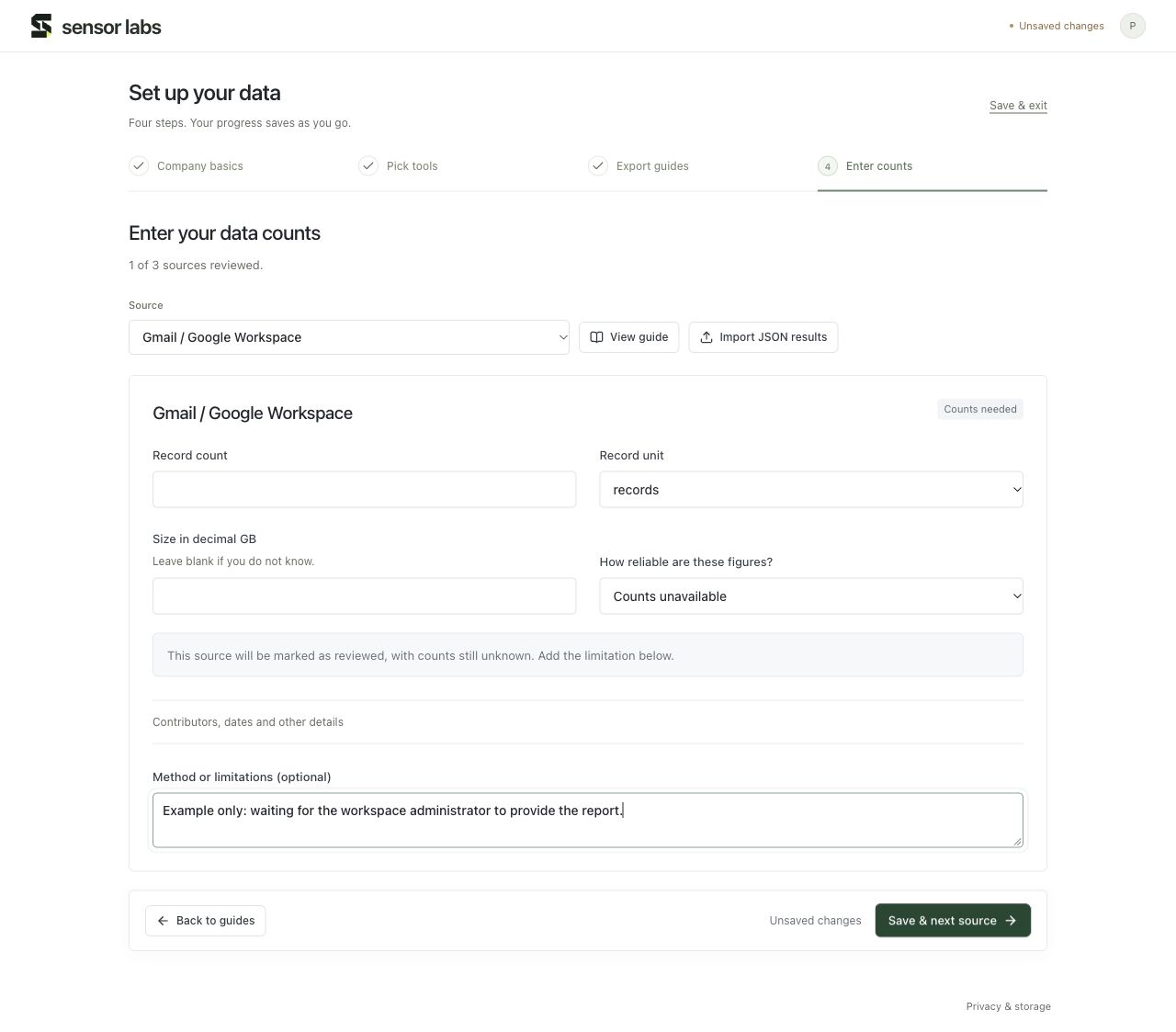
Blank, zero and unavailable mean different things
Blank means unknown. Zero means you actually found zero in the stated scope. Counts unavailable means you reviewed the source but could not get the figures. Add the reason, save, and update the row when the report arrives.
A source needs a count or size plus a reviewed basis, or an explicit unavailable or excluded status, before its review is complete.
Several exports from the same system
Review each included export row separately. Use the Export row selector during setup, or edit the specific row in Data → Sources. Keep separate periods and scopes clear in the dates and notes.
Data → Summary keeps record units and measurement bases separate. Source sizes are added across included rows, so overlapping or duplicate archives can inflate the reported size. Excluded rows are omitted from dataset totals.